NobleProg delivers expert-led Graphic Design training courses across Nepal, empowering professionals and organizations with the latest industry skills. Leveraging our extensive presence in the Indian subcontinent, we provide accessible and high-quality learning solutions tailored to the local market. Participants gain valuable insights through interactive sessions designed to enhance career growth and organizational performance.
Delivered either online or on-site, these instructor-led live Graphic Design courses combine interactive, hands-on practice with a deep dive into both the fundamentals and advanced aspects of Graphic Design.
Training sessions are offered as “online live training” or “onsite live training.” The online option, also known as “remote live training,” utilizes an interactive remote desktop environment. For on-premises sessions, training can be conducted directly at your organization’s facilities in Nepal or at NobleProg’s corporate training centers in Nepal.
NobleProg – Your Trusted Local Training Provider
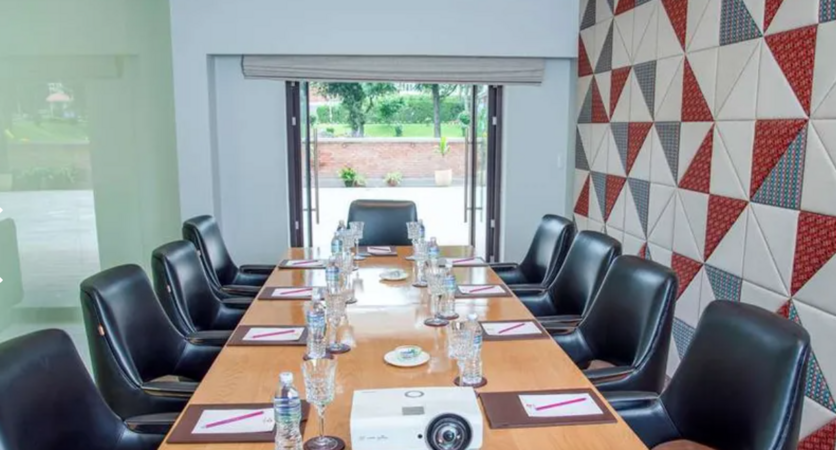
Nepal, Kathmandu - Classroom
near Soaltee, Tahachal Marg, Kathmandu, Nepal, 44600
Set in Kathmandu, this classroom is well located near Tahachal Marg with all amenities and WiFi.
For Sales Enquires and Meetings
All our centres have batches running on weekdays and weekends hence, please note that, in most cases, usually we are not able to organise ad hoc sales meetings, especially on our classrooms as they are all occupied with ongoing training sessions . Please contact us by e-mail or phone at least one day earlier to make an appointment with one of our consultants at our corporate offices.
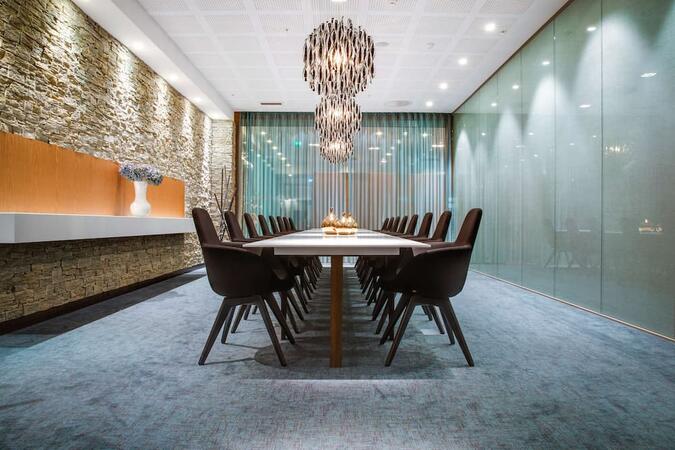
Nepal, Thamel, KTM - Classroom
near Radisson , Ward 2, Kathmandu, Nepal, 44600
Set in Kathmandu, this classroom is well located near Thamel, with all amenities and WiFi.
For Sales Enquires and Meetings
All our centres have batches running on weekdays and weekends hence, please note that, in most cases, usually we are not able to organise ad hoc sales meetings, especially on our classrooms as they are all occupied with ongoing training sessions . Please contact us by e-mail or phone at least one day earlier to make an appointment with one of our consultants at our corporate offices.
This instructor-led training on Nepal explores the fundamentals of Adobe Marketo Engage, covering everything from campaign automation to AI-driven personalization and CRM integration. Participants will acquire practical skills to design workflows, segment audiences, and analyze performance for comprehensive omnichannel strategies.
This hands-on training in Nepal empowers faculty with Adobe Creative Cloud skills for academic content creation. Gain proficiency in Photoshop, Illustrator, InDesign, and video tools. Master design, multimedia, and AI features to elevate institutional communication and teaching materials.
This live, instructor-led training in Nepal delves into the core principles and practical fundamentals of Adobe Hyvä for Magento 2. It equips participants with actionable skills directly applicable to real-world business scenarios and modern technical environments.
This instructor-led Adobe Express training in Nepal empowers beginners to craft social media graphics, flyers, and short videos. Learners will gain proficiency in branding, template management, and collaboration tools to produce consistent, high-quality visual assets, eliminating the need for advanced design skills.
This live, instructor-led training in Nepal (available online or onsite) is designed for beginner to intermediate professionals aiming to optimise their document workflows using Adobe Acrobat and AI-powered tools.
By the conclusion of this training, participants will be able to:
Create and edit PDF documents from various sources.
Modify PDF content, including text, images, and formatting.
Use annotation and markup tools for document review.
Implement security features to protect PDF documents.
Leverage AI-powered tools to automate PDF-related tasks.
This instructor-led, live training session in Nepal (available online or on-site) targets beginner to intermediate-level graphic designers and animators who wish to learn how to create stunning animations, interactive media, and engaging web content using Adobe Animate.
By the end of this training, participants will be able to:
Navigate the Adobe Animate interface and tools.
Create and edit animations using keyframes, motion tweens, and shape tweens.
Design interactive animations and applications with ActionScript and JavaScript.
Incorporate audio and video elements into projects.
Export animations for web, video, and mobile platforms.
This instructor-led, live training in Nepal (online or onsite) is designed for beginner-level content creators seeking a foundational grasp of Adobe After Effects, Adobe Premiere Pro, Adobe Illustrator, Adobe Animate, and Adobe Character Animator.
Upon completion of this training, participants will be able to:
Comprehend the core functions of each software tool within the Adobe Creative Suite.
Apply specific tools and techniques in Adobe After Effects for motion graphics, Adobe Premiere Pro for video editing, Adobe Illustrator for graphic design, Adobe Animate for animations, and Adobe Character Animator for character animation.
Enhance their creative design and production skills, facilitating the faster and more efficient creation of high-quality digital content.
This instructor-led, live training in Nepal (online or onsite) is aimed at beginner-level to advanced-level engineers and drafters who wish to use GD&T to create precise and standardized 2D drawings for engineering projects.
By the end of this training, participants will be able to:
Understand and apply GD&T symbols and concepts to 2D drawings.
Create clear and standardized technical drawings using GD&T principles.
Interpret and implement feedback based on GD&T annotations.
Collaborate effectively with teams using standardized GD&T notations.
This 14-hour course in Nepal focuses on creating PDFs with Adobe Acrobat, ranging from converting Office documents to executing advanced batch processing. Participants will gain expertise in form creation, security settings, and portfolio features, developing practical skills for efficient document management in professional environments.
This 2-day instructor-led course in Nepal covers core Adobe After Effects skills, including layers, keyframing, animation control, transparency, and rendering. By the end, you will be able to competently edit professional video content using industry best practices.
This instructor-led training in Nepal empowers experienced designers to master advanced Adobe Creative Cloud workflows. Discover how to integrate AI-powered tools for efficient production, refined branding systems, and the creation of professional corporate reports, infographics, and presentation assets.
This instructor-led live training in Nepal (online or onsite) is designed for graphic designers and illustrators who wish to use the advanced tools in Adobe Illustrator to create professional and high-quality vector artwork, illustrations, and graphic designs.
By the end of this training, participants will be able to:
Learn more about the new and advanced features in Adobe Illustrator.
Know the tips and tricks on how to use the advanced Illustrator tools.
Redraw hand sketches into digital images.
Create professional grade graphics, logos, and animated GIFs.
This instructor-led, live training in Nepal (online or onsite) is aimed at advanced-level creative professionals who wish to use Adobe Creative Cloud to produce advanced branded graphics, professional video content, motion assets, and integrated digital media deliverables.
By the end of this training, participants will be able to: create advanced visual assets, edit and finish professional video, build motion graphics, and streamline workflows across Adobe applications.
This instructor-led, live training in Nepal (online or onsite) is aimed at intermediate-level creative professionals who wish to use Adobe Creative Cloud to create workplace-ready graphics, video content, and digital media assets.
By the end of this training, participants will be able to: create branded assets, edit professional video, produce basic motion graphics, and work more efficiently across Adobe applications.
This instructor-led program on Nepal delves into the essential principles and practical techniques of Adobe Captivate. It enables learners to develop robust capabilities for producing engaging interactive eLearning materials, spanning from capturing software walkthroughs to final deployment and LMS integration.
This instructor-led live training on Nepal provides a practical introduction to Adobe InDesign, guiding you through mastering professional desktop publishing techniques. You will learn to create compelling books, brochures, and posters by efficiently managing layouts, styles, and digital assets.
This hands-on training in Nepal covers Canva core tools and advanced design techniques, empowering participants to create professional visuals efficiently. Learn to leverage AI features for automation and generate graphics, enhancing your workflow and design quality in real-world business contexts.
This live, instructor-led training in Nepal (available online or on-site) targets experienced Canva users and internal design or communication teams aiming to leverage advanced brand controls, bulk production, and Magic Studio workflows to industrialize content creation while preserving visual consistency.
This live, instructor-led training in Nepal, available online or onsite, targets beginners with no design background who want to use Canva to create simple, professional-quality everyday materials without relying on specialized design software.
This instructor-led live training in Nepal (online or onsite) is designed for anyone aspiring to become a graphic designer.
Upon completing this training, participants will be able to:
Grasp fundamental design theory and apply practical design techniques.
Effectively utilize Adobe Creative Cloud applications, including Photoshop, Illustrator, and InDesign.
Explore viable alternatives to Adobe Creative Cloud.
Stay updated with the latest design trends.
Read more...
Last Updated:
Testimonials (3)
What I liked most about the training was the technical color and video performance theory session. It helped me clearly understand the reasoning behind key production decisions, such as why specific frame rates are chosen for different types of videos and how particular color spaces impact visual quality and performance. Having this theoretical foundation made the technical concepts more meaningful and easier to apply in practical scenarios.
Jason Lee
Course - Adobe Creative Cloud (After Effects, Premiere Pro, Illustrator, Animate, and Character Animator) for Beginners
Marko was very knowledgeable, friendly and explained in a very clear way. He also brought so many use cases, examples from his broad experience and was super interactive with us.
Delia Roxana Isfan-Stan
Course - Adobe Acrobat: PDF Creation and Editing
I liked the part the most where we learn how to create objects.
Online Graphic Design training in Nepal, Graphic Design training courses in Nepal, Weekend Graphic Design courses in Nepal, Evening Graphic Design training in Nepal, Graphic Design instructor-led in Nepal, Evening Graphic Design courses in Nepal, Weekend Graphic Design training in Nepal, Graphic Design boot camp in Nepal, Graphic Design instructor in Nepal, Graphic Design trainer in Nepal, Online Graphic Design training in Nepal, Graphic Design coaching in Nepal, Graphic Design private courses in Nepal, Graphic Design classes in Nepal, Graphic Design on-site in Nepal, Graphic Design one on one training in Nepal, Graphic Design instructor-led in Nepal