Online or onsite, instructor-led live Photoshop training courses demonstrate through interactive discussion and hands-on practice the fundamentals of Photoshop and how to use it.
Photoshop training is available as "online live training" or "onsite live training". Online live training (aka "remote live training") is carried out by way of an interactive, remote desktop. Onsite live Photoshop training can be carried out locally on customer premises in Bhutan or in NobleProg corporate training centers in Bhutan.
NobleProg -- Your Local Training Provider
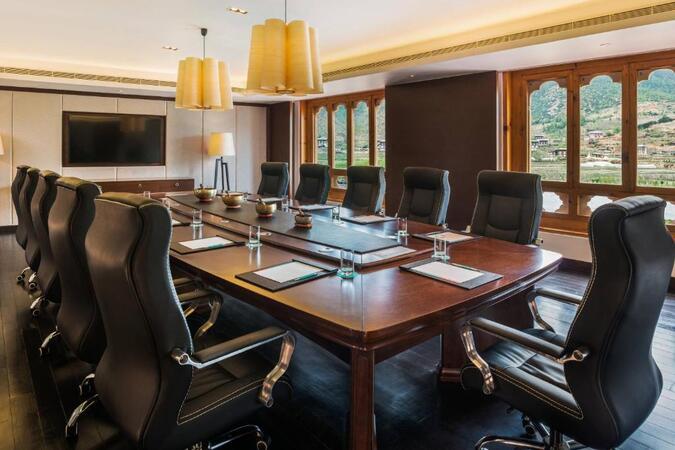
Bhutan, Thimphu - Classroom
near Le Méridien , Chorten Lam, Thimphu, Bhutan, 11001
Set in Thimphu, this classroom is well located in Chorten Lam with all amenities and WiFi.
For Sales Enquires and Meetings
All our centres have batches running on weekdays and weekends hence, please note that, in most cases, usually we are not able to organise ad hoc sales meetings, especially on our classrooms as they are all occupied with ongoing training sessions . Please contact us by e-mail or phone at least one day earlier to make an appointment with one of our consultants at our corporate offices.
Bhutan, Paro - Classroom
near Le Méridien Riverfront, thimphu hwy, Shaba, Paro, Bhutan, 12001
Set in Paro, this classroom is well located near Paro-Thimphu Highway around 4 km from the airport, and 7 km from Rinpung Dzong, and possess all amenities and WiFi.
For Sales Enquires and Meetings
All our centres have batches running on weekdays and weekends hence, please note that, in most cases, usually we are not able to organise ad hoc sales meetings, especially on our classrooms as they are all occupied with ongoing training sessions . Please contact us by e-mail or phone at least one day earlier to make an appointment with one of our consultants at our corporate offices.
This instructor-led, live training (available online or onsite) is aimed at beginner-level to intermediate-level photo enthusiasts and graphic designers who wish to use Adobe Photoshop Elements to edit and enhance their photos.
By the end of this training, participants will be able to:
Edit and enhance their photos with various tools and functions.
Organize and manage their photo collections with the organizer.
Create and share photo projects such as slideshows, collages, and calendars.
Apply artistic effects and filters to their photos.
Perform basic and advanced photo retouching techniques.
This instructor-led live training guides participants through Adobe Photoshop's photo-enhancement capabilities via a series of practical exercises aimed at improving the quality of sample photographs.
Upon completion of this training, participants will be able to:
Utilize Photoshop's photo-enhancing features to improve photograph quality
Adjust sharpness and blur levels to highlight key photographic features
Modify coloring and facial expressions within photographs
Prepare photographs for printing or digital development
Target Audience
Beginners and enthusiasts in photography
Course Format
A blend of lectures, discussions, exercises, and extensive hands-on practice
Core principles of graphic design and desktop publishing
Understanding and managing color modes
Distinctions between vector and bitmap image formats
Techniques for adjusting colors in photos and graphics
Foundations of photo retouching and photomontage creation
Methods for producing original illustrations and graphics
Adapting graphic materials to meet specific composition and print requirements
Techniques for designing logos and brand identities
Designing engaging charts and data tables
Creating professional business cards and letterheads
Designing labels, diplomas, and invitations
Preparing leaflets, banners, billboards, and print materials
Advanced text formatting techniques
Building style sheets and applying consistent formatting styles
Effective use of additional color profiles
Principles of pre-press publication preparation
Overview of digital printing, offset printing, and solvent printing methods
Read more...
Last Updated:
Testimonials (1)
Jarek was very, very determined to make me as knowlegable as possible to be able to use those programmes afterwards, even though the time was very limited to be successfull. He not even pushed breaks, so we could squeeze even more knowledge in. Fantastic! Very, very sweet!
Online Photoshop training in Bhutan, Photoshop training courses in Bhutan, Weekend Photoshop courses in Bhutan, Evening Photoshop training in Bhutan, Adobe Photoshop instructor-led in Bhutan, Adobe Photoshop boot camp in Bhutan, Adobe Photoshop coaching in Bhutan, Online Adobe Photoshop training in Bhutan, Photoshop private courses in Bhutan, Photoshop classes in Bhutan, Photoshop instructor in Bhutan, Adobe Photoshop one on one training in Bhutan, Adobe Photoshop instructor-led in Bhutan, Weekend Adobe Photoshop training in Bhutan, Photoshop trainer in Bhutan, Photoshop on-site in Bhutan, Evening Photoshop courses in Bhutan