NobleProg delivers specialized 3D Graphics training opportunities within the vibrant landscape of Bhutan. Tailored to the unique professional needs of this Himalayan nation, our courses empower local businesses and individuals with cutting-edge skills in 3D Graphics. Participants benefit from expert-led instruction designed to drive innovation and sustainable growth in Bhutan's evolving economy.
Offered either online or onsite, these instructor-led live 3D Graphics (also known as 3D Computer Graphics or Three-Dimensional Computer Graphics) courses provide an interactive learning experience. Through guided discussions and hands-on exercises, participants learn how to utilize 3D Graphics for performing calculations and rendering high-quality 2D images.
You can choose between 'online live training' and 'onsite live training'. Online live training, often referred to as 'remote live training', is conducted via an interactive, remote desktop session. Alternatively, onsite live training is delivered locally at customer premises in Bhutan or at NobleProg's corporate training centers in Bhutan.
NobleProg – Your Local Training Partner
Bhutan, Thimphu - Classroom
near Le Méridien , Chorten Lam, Thimphu, Bhutan, 11001
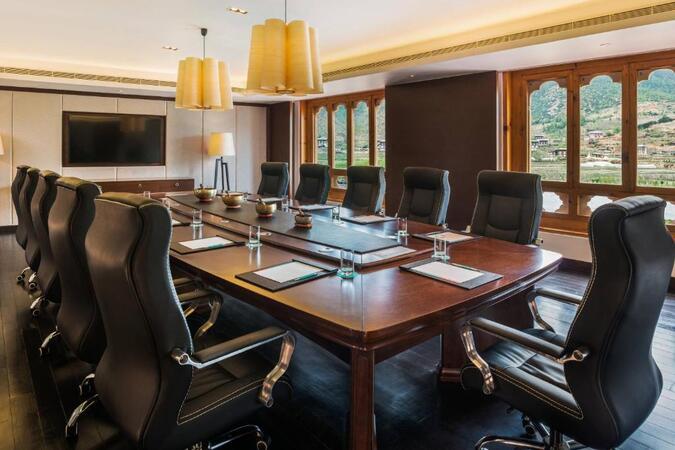
Set in Thimphu, this classroom is well located in Chorten Lam with all amenities and WiFi.
For Sales Enquires and Meetings
All our centres have batches running on weekdays and weekends hence, please note that, in most cases, usually we are not able to organise ad hoc sales meetings, especially on our classrooms as they are all occupied with ongoing training sessions . Please contact us by e-mail or phone at least one day earlier to make an appointment with one of our consultants at our corporate offices.
Bhutan, Paro - Classroom
near Le Méridien Riverfront, thimphu hwy, Shaba, Paro, Bhutan, 12001
Set in Paro, this classroom is well located near Paro-Thimphu Highway around 4 km from the airport, and 7 km from Rinpung Dzong, and possess all amenities and WiFi.
For Sales Enquires and Meetings
All our centres have batches running on weekdays and weekends hence, please note that, in most cases, usually we are not able to organise ad hoc sales meetings, especially on our classrooms as they are all occupied with ongoing training sessions . Please contact us by e-mail or phone at least one day earlier to make an appointment with one of our consultants at our corporate offices.
This instructor-led live training in Bhutan (online or on-site) is designed for artists, game developers, and complete beginners who wish to utilise Blender to create 3D models for interactive applications, video games, animated films, and more.
Upon completion of this training, participants will be able to:
Learn how to create animations and visual effects using Blender.
Add curves, surfaces, metaballs, and hair particles to simulate realistic 3D movements.
Understand the principles of non-destructive modelling and animation.
Export 3D models and assets to game engines, 3D printers, or other software.
This instructor-led live training in Bhutan (online or onsite) is intended for artists, game developers, and complete beginners who wish to use Blender to create 3D models for interactive applications, video games, animated films, and other projects.
By the end of this training, participants will be able to:
Understand the principles and core concepts of 3D modeling.
Explore a variety of modes and tools for modeling and editing 3D meshes.
Use the tools for UV mapping/unwrapping, sculpting, and painting 3D models, as well as rendering.
This instructor-led, live training in Bhutan delves into the basics of Psdto3D101 for lenticular design. Participants will acquire the skills to produce 3D, flip, morph, and motion effects, while optimizing files for professional printing through a blend of interactive lectures and practical, hands-on exercises.
This instructor-led live training in Bhutan (online or onsite) is aimed at artists, game developers, or complete beginners who wish to use Blender to create 3D models for interactive applications, video games, animated films, etc.
By the end of this training, participants will be able to:
Understand the principles and core concepts of 3D modeling.
Explore a variety of modes and tools for modeling and editing 3D meshes.
Learn how to create animations and visual effects with Blender.
Add curves, surfaces, metaballs, and hair particles to simulate realistic 3D motions.
Use the tools for UV mapping/unwrapping, sculpting, and painting 3D models.
Export 3D models and assets to a game engine, 3D printer, or other software.
This instructor-led, live training in Bhutan (online or onsite) targets 3D design and 3D printing enthusiasts from beginner to advanced levels who wish to use Fusion 360 to design, simulate, and prepare models for 3D printing.
By the end of this training, participants will be able to:
Install and configure Fusion 360 for optimal performance.
Design, model, and simulate 3D objects in a unified environment.
Optimize and prepare designs for the 3D printing process.
Collaborate and share their designs using Fusion 360's cloud capabilities.
Participate in this practical training in Bhutan to gain proficiency with FreeCAD, a powerful open-source parametric 3D modeller. You will learn to create real-world objects for construction or 3D printing, export files to standards like STEP and STL, and streamline workflows using Python. This course is ideal for designers and engineers.
Read more...
Last Updated:
Testimonials (1)
the point that Huba took the time to sit with me as the lesser knowledgeable of the application and go through each part and explain where i had gone wrong and how to correct the issue
Online Three-Dimensional Computer Graphics training in Bhutan, 3D Graphics training courses in Bhutan, Weekend 3D Graphics courses in Bhutan, Evening 3D Graphics training in Bhutan, Three-Dimensional Graphics instructor-led in Bhutan, Weekend Three-Dimensional Graphics training in Bhutan, 3D Computer Graphics boot camp in Bhutan, Evening Three-Dimensional Computer Graphics courses in Bhutan, Three-Dimensional Computer Graphics instructor in Bhutan, 3D Computer Graphics coaching in Bhutan, 3D Graphics trainer in Bhutan, Online Three-Dimensional Graphics training in Bhutan, Three-Dimensional Computer Graphics on-site in Bhutan, 3D Computer Graphics one on one training in Bhutan, 3D Graphics private courses in Bhutan, 3D Computer Graphics instructor-led in Bhutan, 3D Graphics classes in Bhutan